tmux 3: Productive Mouse-Free Development: A Book Review
How Brian P. Hogan's tmux 3 guide turned superficial familiarity into real productivity, with practical configs, workflows, and features that most casual tmux users never touch.
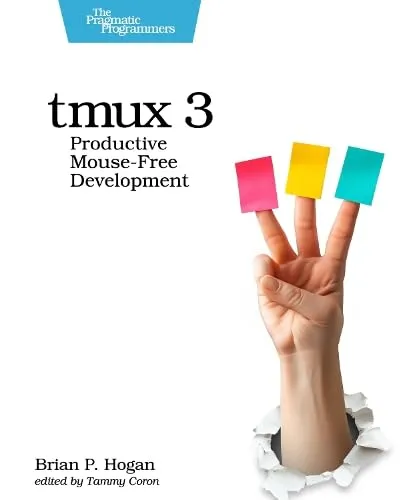
I have used tmux for a while, but in a very basic way. I knew how to split panes, switch windows, and keep a few sessions around, and that already felt like a win over using a single terminal. tmux 3: Productive Mouse-Free Development by Brian P. Hogan took that shallow understanding and pushed it much further. The book does not just show you more features; it shows you how to turn tmux into a real development environment that supports the way you actually work.
From Casual User to Confident Operator
Going into the book, I would have described myself as a tmux user at a basic and superficial level. I could get around, but I was mostly copying snippets from blogs or dotfiles without really understanding them. This book closed that gap.
Hogan does a particularly good job of:
- Explaining the mental model of sessions, windows, and panes so you stop treating tmux as a fancy tab manager and start treating it as a way to organise work.
- Introducing key shortcuts in context rather than dumping a long list, which makes it easier to remember and apply them.
- Showing complete workflows for editing, testing, and monitoring, so you see how the pieces of tmux fit together in real development work.
By the time I reached the later chapters, I was no longer thinking in terms of individual key bindings. I was thinking in terms of workflows that tmux could support and accelerate.
The Config Tips That Actually Change How You Work
One of the most valuable parts of the book is the attention it gives to configuration. A lot of tmux users copy a .tmux.conf from somewhere on the internet and hope for the best. Hogan instead explains small, focused changes that each improve the experience in a clear way.
Examples include:
- Tweaking the prefix key and basic navigation so that common actions feel natural and do not collide with your muscle memory from other tools.
- Improving the status bar so that it shows useful information without turning into a distraction.
- Sensible defaults for copy and paste, which can otherwise be a constant source of friction, especially if you are used to your terminal emulator or editor doing that work.
These are not just cosmetic improvements. They remove little bits of friction that you probably live with every day without questioning, which makes tmux feel like it is working with you instead of getting in your way.
Features You Might Not Know Exist
Even as someone who had used tmux for a while, I discovered features I was not aware of or had never properly understood. The book surfaces these in a practical, grounded way rather than as curiosities.
Some of the standouts were:
- Session management patterns that let you keep long running work organised and easy to recover, even after disconnects.
- Scripting and automation ideas that turn common setups into repeatable commands, so you can bring up a full development layout in seconds.
- Synchronised panes and targeted commands, which are incredibly useful when you are working across multiple services or environments at the same time.
The key here is that Hogan always ties the feature back to a realistic scenario. That context makes it easier to remember why the feature exists and when you should reach for it.
A Focus on Real Productivity
What impressed me most is that the book stays focused on productivity rather than cleverness. It does not feel like a tour of everything tmux can do. Instead, it feels like a curated set of ideas that are likely to pay off in your daily work.
The examples often mirror the kinds of tasks many developers face:
- Running tests while watching logs.
- Jumping between editor, REPL, and monitoring tools.
- Keeping different projects and environments clearly separated.
By the end, you come away with a tmux setup that supports those tasks directly, instead of a collection of random tricks.
Who Should Read This Book
I think tmux 3: Productive Mouse-Free Development is ideal for:
- Developers who already use tmux a little and feel like they are only scratching the surface.
- People who live in the terminal and want to build a stable, repeatable environment that follows them between machines.
- Anyone who has copied a tmux config from the internet and wants to finally understand what it does and how to tailor it.
If you have never touched tmux, the book can still work as an introduction, but it really shines if you already have some familiarity and want to move from "I know a few shortcuts" to "tmux is a core part of my workflow."
Final Thoughts
For me, the main takeaway from tmux 3: Productive Mouse-Free Development is that a tool I thought I already knew still had a lot more to give. The book advanced my productivity in a tangible way by offering practical configuration guidance and by teaching features I did not even know existed.
If you spend a lot of time in a terminal and you already use tmux at a basic level, this book is a very efficient way to level up. You will finish it with a deeper understanding of how tmux works, a cleaner and more intentional configuration, and a set of workflows that make your development environment feel faster, more resilient, and much more under your control.